快乐小马AI视频生成平台|AI生成视频与智能创作工具
· shishir · 15s · 1080p
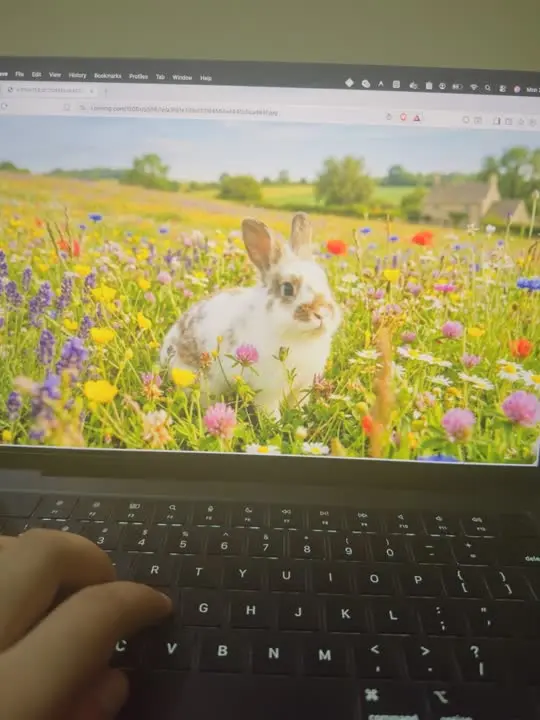
Use the uploaded image as the first frame. Keep the exact composition, lighting, camera angle, laptop, keyboard, and hand unchanged. The animation begins with the rabbit inside the meadow on the laptop screen. For the first 2–3 seconds, the rabbit naturally starts hopping forward through the flowers toward the camera, with realistic ear movement and soft fur physics. As it reaches the edge of the laptop display, it suddenly performs one energetic leap, breaking out of the screen into the real world with a subtle magical transition (no broken glass or damage). The rabbit lands softly on the MacBook keyboard and continues making a few tiny, adorable hops across the keys, causing slight key depressions. It then curiously approaches the nearby hand, sniffs the fingers, and pauses. The hand gently reaches out and pets the rabbit's head and back with one finger, while the rabbit closes its eyes slightly, wiggles its nose, and happily leans into the petting. The rabbit remains on the keyboard looking cute as the animation ends. Maintain photorealistic fur, natural lighting consistent with the original photo, shallow depth of field, smooth cinematic motion, and seamless interaction between the digital screen and the real environment. No camera movement—only realistic subject animation.